Okay, thank you Vasileios!
1 Like
My pleasure @LibertyMom! Today is a loaded day, that’s for sure! 
I figured out the time issue - it was burried in an applet setting. 
1 Like
Awesome! Good job!
I just installed Budgie on my laptop and it does look cooler than my Gnome desktop! LOL
So, I did a bit more research regarding your sound. If you’re ready to go for another round, shoot up the terminal and type in:
modprobe --show-depends snd_hda_intel
Please take a picture of that and let’s see if we can fool the system!
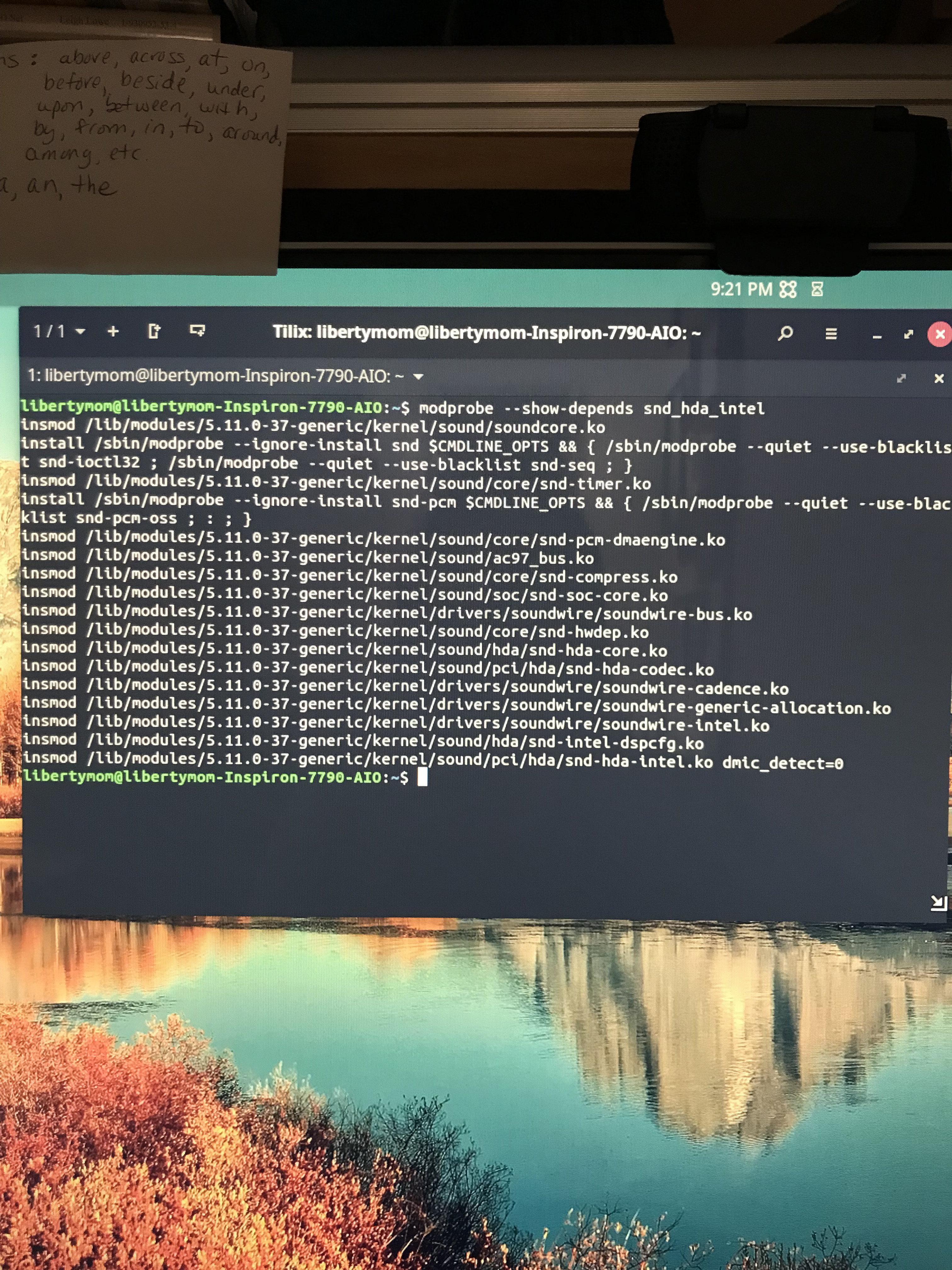
I wonder if it’s a Dell thing. I couldn’t get the sound to work on my old Dell laptop either, with Mint.
Then again, also couldn’t get sound to work on my 2016 Macbook Pro with Zorin or Ubuntu. So now you know why I made that comment about no sound anywhere! lol
As I mentioned above, Linux wants you to work in stealth mode to not alert your Big-Tech neighbors! 
Try this first:
sudo modprobe snd-hda-core
sudo modprobe snd-hda-intel
This should enforce a startup of the driver. Go to the full settings and check if the dummy is still there.
If it is… then we’ll try to do a re-installation to see if that helps.
sudo apt install --reinstall linux-modules-extra-5.11.0-37-generic
Tried the first 2, still dummy.
Just did the reinstall.
Do I restart?
Repeat the above commands - as they can potentially override the reboot.
By the way, don’t feel as if you have to work on this now. We can continue tomorrow or at your convenience. I feel bad taking up so much of your time!
1 Like
Ok, repeated the commands. Still says dummy in settings.
Can you please take a photo of the settings there? 
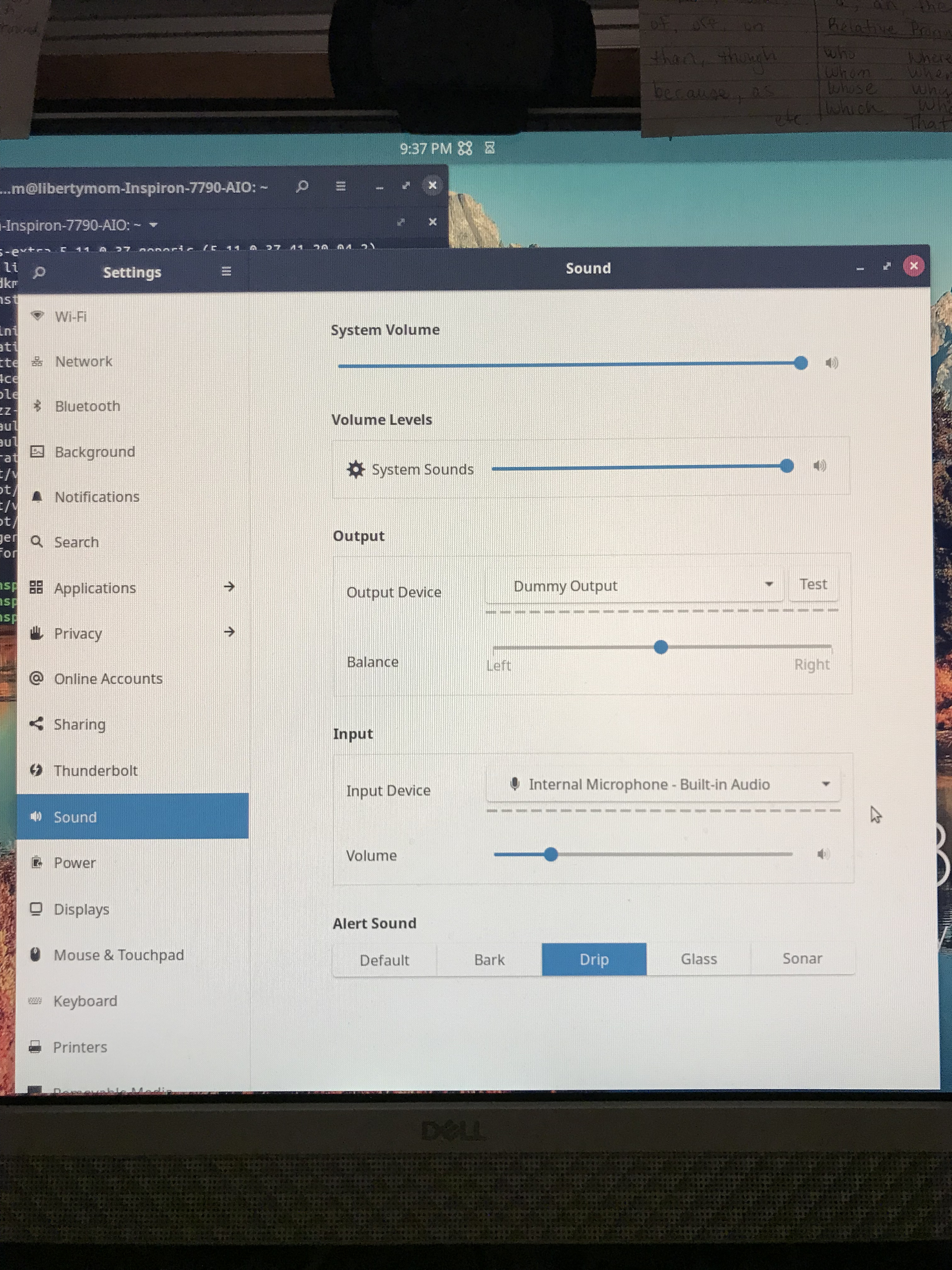
When you click on the Dummy, does it present any other option?
Unfortunately, no it doesn’t.
Okay. I’m now on the Budgie desktop on my laptop.
I found this little guy here. Hopefully it can help?
It has a more recent edit further down the article and I believe it’s worth checking.
1 Like
Yayyyyyyy! That did it! I’m so happy. 
1 Like
Awesome! Congratulations! 