If your non-system backup scheme ( FreeFileSync ) captures your home directory, then the dot files would ( should? ) be included in those backups. I use Deja Dup for my data along side TimeShift for system backups ( and restores - whew ). If you’re able to browse your FreeFileSync backup data, check for the dot files.
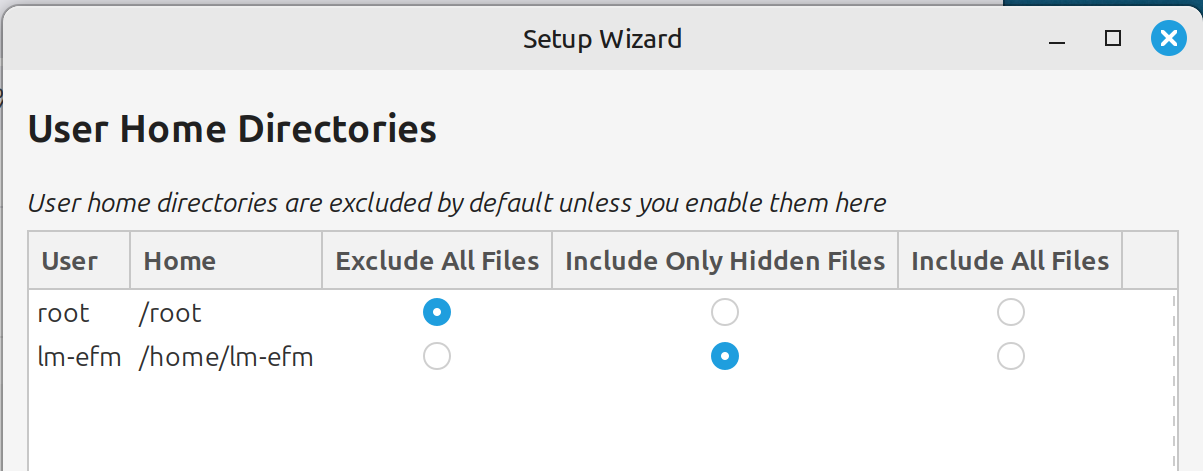
Oh. Right. If I set it up that way (to backup hidden files within /home directory).
So if I had backed up those hidden files to FFS/personal data SD, then when I use the separate, Timeshift backup to restore a malfunctioning system, those hidden files within the /home directory are not restored.
New question:
If the unexpected happens and I need to restore a Timeshift capture, do I also need to perform a data ( FreeFileSync ) backup (in order to restore the /home hidden files)?
If ‘yes,’ then that presents an out-of-sync scenario, the FFS backup being more recent than the TS backup.
If the system is rendered unusable & a TimeShift backup is restored, to be on the safe side I would also restore from the latest “personal data” ( FreeFileSync ) backup to ensure that my personal data isn’t corrupt or lost.
system goes south
restore TimeShift
restore FreeFileSync
Or, include all files in /home/YOU for TimeShift as well - more copies is better?
That’s what I use. Been on Mint 9 years using those settings. Whenever I got in a jam, restore got me out of it. I also make disk images monthly to two computers that I really needed restored if they fail. Also I normally make two snapshots a week on those.
Your Timeshift setup is correct for a system-only backup. Excluding /home is the recommended approach since Timeshift is meant to restore system files, not personal data. Backing up user files separately with another tool and restoring them after a system restore is a common and safe practice. As long as your personal backups include hidden files if needed, this setup works perfectly.